2026-03-16 / Tools
EMMS is a troubleshooting software that lets technicians understand your needs with a simple click. Worried about security? EMMS guarantees your information is securely protected; no privacy concerns! EMMS is designed for rapid response to user needs, quickly reducing equipment stress and improving work efficiency! If you frequently encounter equipment malfunctions but can't fix them, EMMS can provide the best help!
EMMS's underlying design is simple and intelligent. The interface is intuitive and easy to understand; you can tag a faulty device without struggling with countless clicks. Even if you're a novice or not technically proficient, you can easily get started. It's for everyone—from office administrators, teachers, and facilities managers to ordinary users who just want to get their daily work done smoothly. If you've ever wished technical support could read your mind, EMMS almost meets your needs, though it doesn't have superpowers.
One-Click Repair Reporting
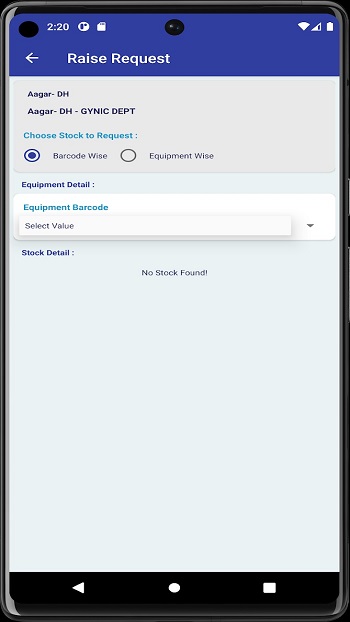
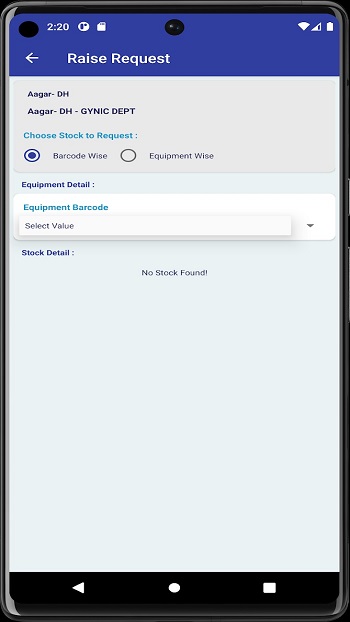
Say goodbye to cumbersome paper forms or Excel templates. Users can submit equipment malfunction reports with just a few clicks on their mobile phones, significantly reducing the processing time for complaints or repairs.
Comprehensive Fault Coverage
Not only does it support fault reporting for office IT equipment (such as printers and monitors), but it also covers other facility issues (such as air conditioner noises, lighting malfunctions, etc.), enabling unified entry point management for various equipment problems within the enterprise.
Simple and Intuitive Mobile Interface
All repair information and processes are integrated into a simple interface optimized for mobile devices. Users can get started without professional training, truly achieving "use it as soon as you pick up your phone."
Real-Time Work Order Status Tracking
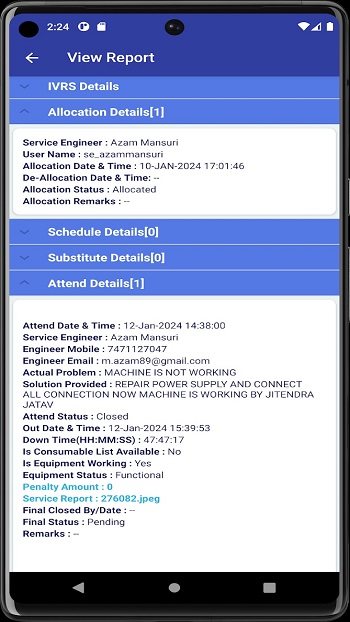
After submitting a repair report, users can check the processing progress of the problem at any time on their mobile phones (e.g., pending assignment, processing, completed), eliminating the embarrassment of "forgetting after reporting" or repeatedly asking for help.
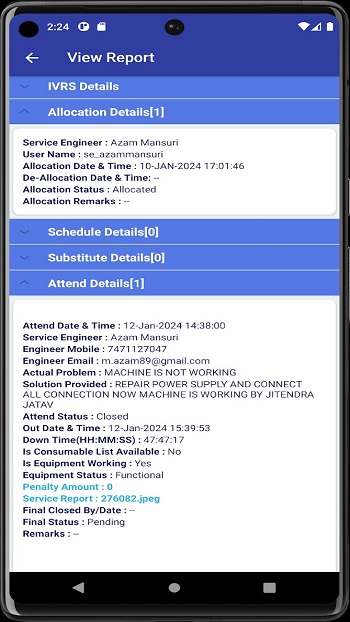
Simple and Intelligent.
The interface is intuitive and easy to understand; you can easily flag a faulty device without having to click countless buttons. Even if you're new to the app or not technically proficient, you can easily get started. It's for everyone—from office administrators, teachers, and facilities managers to ordinary users who just want to get their daily work done smoothly. If you've ever wished technical support could read your mind, EMMS almost meets your needs, though it doesn't have superpowers.
Convenient Complaints.
Once you discover a problem, simply record it, and EMMS will handle the rest—the system tracks every step to ensure your issue isn't lost. Real-time updates are sent directly to your notification bar, keeping you informed of the latest developments without frequent checks. This transparency helps build trust and, frankly, is much easier than chasing emails or making countless phone calls.
Secure Login
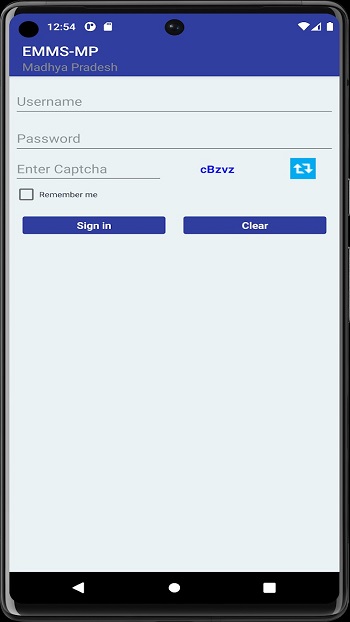
Secure login is an often-underestimated feature of this app. Your information is absolutely safe. The app safeguards all your complaint details and updates, allowing you to report issues with peace of mind, without worrying about privacy breaches or being spied on. Especially in large organizations, this is far more important than people realize.
Fast Processing
When it comes to speed, EMMS wastes no time. From submitting an issue to resolving it, every step is designed to minimize wait times and get your devices up and running quickly. Less downtime means happier teams and fewer excuses like, "Sorry, my laptop broke down again." If you enjoy data analysis, you can also review past complaint records to identify patterns and even prevent future occurrences.
What is EMMS?
EMMS is a mobile application designed to help people easily report, track, and resolve device issues within the workplace or organization.
How does EMMS simplify complaint management?
With EMMS, users can submit device complaints with just a few taps, track progress in real time, and receive immediate notifications once the issue is resolved.
Can EMMS be securely used to store personal or sensitive information?
Yes, EMMS features a secure login system to protect your personal information and complaint details, giving you greater peace of mind when reporting issues.
Who should use the EMMS app?
Anyone who deals with devices—such as office workers, school administrators, or facility managers—can use EMMS to alleviate the burden of device support and improve efficiency.
Which devices are compatible with the EMMS APK?
The EMMS APK supports Android devices, including older versions, making it available to a wide range of users who need a practical complaint management tool.
Every paragraph here stems from in-depth research and a deep understanding of the real needs of users in management applications. The author, a content writer, knows how frustrating device malfunctions can be and firmly believes that technology should solve problems, not create new ones. So, the next time your device malfunctions, simply tap EMMS to get it running again.


Zumods Free Download For Android
Tools | 5.50MB 2025-03-13
Plato VPN Super Fast Secure
Tools | 52.90MB 2025-03-19
AccuWeather
Tools | 108.92MB 2025-03-19
Panda Gamepad Pro
Tools | 12.4MB 2025-04-01
VPhoneGaga APK 4.4.8
Tools | 1.5MB 2025-04-07
Greek for AnySoftKeyboard
Tools | 88.60MB 2025-04-09
Wifi Display
Tools | 29.90MB 2025-03-23
R6 Tracker : Real Time R6 Stats
Tools | 24.60MB 2025-03-25
VPNTurboFreeVPNProxy
Tools | 12.40MB 2025-04-01
PaperColorPaperDraw
Tools | 59.9MB 2025-04-09